10Blogs

MaLiLib Mod Guides

15 practical articles on MaLiLib, installation, companion mods and troubleshooting. Select an article to read the full guide.

MaLiLib Mod library cube connected to Minecraft schematic, HUD, controls and inventory utilities01 / Getting started

What Is MaLiLib Mod? A Beginner Guide

Understand the library behind your favourite client mods.

Read article +

MaLiLib provides shared configuration screens, hotkey handling and utilities for other Minecraft mods. It is a dependency: installing the library alone does not add a new building tool or a new inventory screen.

Start with the mod you want to use and read its dependency list. Install the supported MaLiLib build alongside it. If a launcher reports a missing dependency, use the named version requirement rather than choosing a file by its download count.

Project documentation

Quick checklist

  • Read the dependency list of your chosen companion mod.
  • Confirm that MaLiLib is required before installing extra files.
  • Keep the project documentation handy for configuration shortcuts.

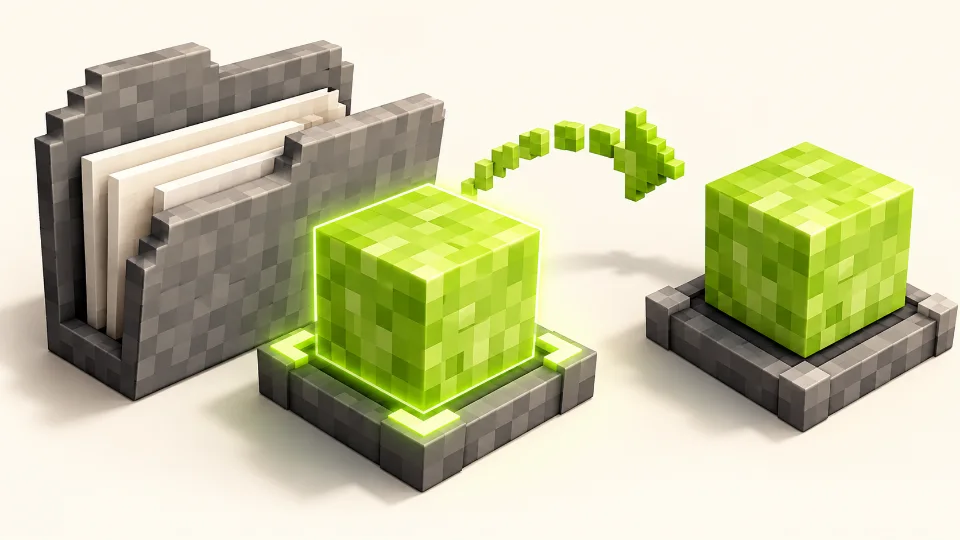
MaLiLib Mod installation concept with a library cube and a mods folder02 / Installation

How to Install MaLiLib Mod in Minecraft

Avoid putting your download in a folder your launcher never reads.

Read article +

Close Minecraft before changing mod files. In your launcher, open the folder for the profile you actually play, then locate its mods directory. Custom launchers may keep each instance in a separate folder.

Place the compiled MaLiLib jar there, together with the dependent mod. Launch that same profile and check any dependency message. Keep a copy of your previous working files so you can undo the change if the new combination fails.

Project documentation

Quick checklist

  • Close Minecraft and open the instance you actually launch.
  • Place the compiled library jar and companion mod in the same mods folder.
  • Launch that profile and read any dependency message.
Compatible Minecraft, loader and MaLiLib Mod builds shown as matching voxel pieces03 / Compatibility

MaLiLib Mod Compatibility: Choose the Right Build

Check the game version, loader and dependency requirement together.

Read article +

Minecraft versions and MaLiLib release numbers describe different things. A library release number by itself does not tell you which game version it supports. Read the file description and the dependent mod requirements before downloading.

Record your Minecraft version, mod loader and dependent mod version. Use that information to narrow the available files. If no supported combination exists, keep a working profile instead of assuming that a newer jar will work with an older game.

Project documentation

Quick checklist

  • Record your Minecraft version and loader.
  • Check the library version range required by each companion mod.
  • Keep a working profile until the new combination has been tested.
MaLiLib Mod compiled JAR package compared with a source ZIP archive04 / Downloads

MaLiLib Mod Downloads: JAR vs Source ZIP

Recognise the difference before copying a file into mods.

Read article +

GitHub source archives contain project code. They are useful for developers, but they are not compiled mod files that you can place in the mods folder. Renaming a ZIP to a JAR does not build the project.

For normal play, use a compiled release jar. Development jars such as sources or dev artifacts serve a different purpose. If you intentionally build from source, follow the repository instructions for the chosen branch and use the resulting playable artifact.

Project documentation

Quick checklist

  • Choose a compiled release jar for normal gameplay.
  • Do not rename a source ZIP to JAR.
  • Use repository build instructions only when intentionally compiling the project.
Litematica castle schematic and completed blocks with a MaLiLib Mod library cube05 / Litematica

MaLiLib Mod and Litematica: Setup Guide

Get the schematic mod and its library working together.

Read article +

Litematica is a client schematic mod and explicitly requires MaLiLib. Downloading Litematica without its dependency can prevent the profile from starting. Both files must belong to a supported combination for your game and loader.

Install the pair in the same instance. Once the game launches, follow Litematica documentation to configure a schematic placement. When troubleshooting, distinguish a library loading error from a schematic or rendering setting: they happen at different stages.

Project documentation

Quick checklist

  • Install compatible Litematica and MaLiLib releases together.
  • Confirm that the profile launches before changing schematic settings.
  • Use Litematica documentation for placements and rendering options.
MiniHUD landscape overlays and grid supported by MaLiLib Mod06 / MiniHUD

MaLiLib Mod and MiniHUD: Configure Overlays

Keep useful information visible without a crowded screen.

Read article +

MiniHUD offers configurable information lines and overlays. Begin with a small set of information you actually need, then adjust placement and appearance through the settings available in your installed version.

If an overlay is missing, check whether its feature and rendering are enabled. Some information depends on data available to the client, so a multiplayer world may not expose everything a single-player world does. Consult the documentation before treating that difference as an installation failure.

Project documentation

Quick checklist

  • Enable the intended MiniHUD display and its individual information lines.
  • Check the configuration shortcut for your installed release.
  • Remember that some information depends on data available to the client.
Tweakeroo building tools and configurable utility controls07 / Tweakeroo

MaLiLib Mod and Tweakeroo: Configure Your Setup

Build a manageable setup without losing track of toggles.

Read article +

Tweakeroo groups many individual client tweaks into one mod. Rather than enabling every feature at once, choose a task, read the option description and test the relevant setting in a familiar world.

Keep a note of changed settings and hotkeys. If behaviour becomes unexpected, turn off the last feature you enabled and retest. Before using a feature in multiplayer, check the server rules and choose a configuration appropriate for that server.

Project documentation

Quick checklist

  • Enable one Tweakeroo feature at a time.
  • Record the hotkeys and options you change.
  • Check server rules before using gameplay-affecting features online.
Item Scroller chest items arranged into an inventory grid08 / Item Scroller

MaLiLib Mod and Item Scroller: Inventory Guide

Learn inventory gestures with a small, safe test first.

Read article +

Item Scroller adds ways to move items within inventory interfaces, including scrolling over stacks. Read its controls before trying gestures on valuable items, because an unfamiliar action may move more items than you expected.

Test with a few ordinary stacks in a chest. Change one control at a time, then repeat the gesture until its effect is predictable. If another inventory mod uses the same input, disable overlapping bindings or test Item Scroller in a simpler profile.

Project documentation

Quick checklist

  • Test inventory gestures with ordinary items first.
  • Review scrolling and drag controls in Item Scroller settings.
  • Check for overlapping inputs from other inventory mods.
MaLiLib Mod hotkey configuration shown as highlighted keyboard controls09 / Hotkeys

MaLiLib Mod Hotkeys: Configure Your Controls

Use a small set of distinct shortcuts for everyday actions.

Read article +

MaLiLib includes configurable hotkey support, including combinations of keys. Start by locating the controls in the dependent mod documentation. Default shortcuts can differ between mods and versions.

Choose combinations that do not overlap with movement, chat or another frequently used action. Test them during normal gameplay and with menus open. When a shortcut fails, check the assigned keys and input context before reinstalling the library.

Project documentation

Quick checklist

  • Choose shortcuts that do not overlap with everyday controls.
  • Test the shortcut both in a world and in relevant menus.
  • Check the input context before reinstalling any files.
Missing MaLiLib Mod dependency represented by a library cube completing a bridge10 / Troubleshooting

Fix a Missing MaLiLib Mod Dependency

Use the loader message to find the exact missing piece.

Read article +

A dependency message usually identifies the mod that requires a library and the version range it expects. Read the complete message before changing files. It can reveal whether the library is absent or the installed build is outside the accepted range.

Check the active instance folder, confirm the file is a compiled jar and compare the requirement with its release description. Change only the affected files, then launch again. Keep the original error text if you need to ask the project maintainers for help.

Project documentation

Quick checklist

  • Read the complete dependency message, including its version range.
  • Check that the jar is in the active instance rather than another profile.
  • Change only the files identified by the error and test again.
Duplicate MaLiLib Mod jars separated from the active setup11 / Troubleshooting

MaLiLib Mod: Remove Duplicate Files

Keep one deliberate version of each mod in your profile.

Read article +

When updating a mod, leaving the previous jar beside the replacement can make troubleshooting harder. A filename may look different even when both files contain the same mod. Inspect the folder before adding another download.

Close the game, back up the instance and move the previous version outside the mods directory. Keep the chosen compatible file in place and restart. Avoid deleting unrelated mods while diagnosing the problem; a small, reversible change is easier to evaluate.

Project documentation

Quick checklist

  • Close Minecraft before moving jar files.
  • Move the previous version outside the active mods folder.
  • Keep one intended version of each mod and relaunch.
MaLiLib Mod crash-log inspection with a magnifying glass12 / Troubleshooting

MaLiLib Mod Crash Reports: Troubleshooting Guide

Turn an unexpected crash into a focused next step.

Read article +

Write down when the crash happens: during startup, while loading a world or after using a feature. Then open the launcher log or crash report and look for the first relevant error and any named mod requirement.

Include the game version, loader and installed mod versions when asking for help. Test the affected mod and its dependencies in a separate profile if needed. Review logs for personal paths or server details before sharing them publicly.

Project documentation

Quick checklist

  • Record whether the crash occurs at startup or after a particular action.
  • Include game, loader and mod versions when asking for help.
  • Remove private paths and server details before publishing logs.
Backup copy of a Minecraft mod setup protected by a shield13 / Maintenance

How to Back Up Your MaLiLib Mod Setup

Save a known working configuration before experimenting.

Read article +

Before updating, copy your instance configuration and make a backup of worlds you care about. Record which mod files were installed so you can restore the same combination later. A world backup and a settings backup protect different parts of your setup.

Store backups outside the active instance and label them clearly. Restore settings into a matching setup first; options may change between releases. Test restored files in a copied profile before replacing the configuration you currently use.

Project documentation

Quick checklist

  • Back up worlds and configuration files separately.
  • Record the mod versions used by the working profile.
  • Test a restore in a copied instance before replacing your current setup.
Updating MaLiLib Mod together with compatible companion mods14 / Updates

How to Update MaLiLib Mod and Companion Mods

Use a separate profile to check your next mod combination.

Read article +

Treat an update as a compatibility check rather than a race to the highest version number. Read the dependency information for each mod and confirm that the intended files support your chosen Minecraft version and loader.

Clone or back up the working profile, replace the affected files and launch the copy. Test the features you rely on before opening an important world. If the combination fails, return to the saved profile and use the error details to decide what needs changing.

Project documentation

Quick checklist

  • Review the requirements of every dependent mod before updating.
  • Test changes in a copy of your working profile.
  • Retain the previous files until the updated setup works.
Building MaLiLib Mod from source in a voxel workshop15 / Development

Build MaLiLib Mod from Source

Know when compiling the project is useful.

Read article +

Building from source is useful when you need a development change or want to inspect and contribute to the project. Select the appropriate repository branch and follow its build instructions; toolchain requirements depend on that branch.

The project uses a Gradle wrapper. Its README explains how to run the build and find the jar in build/libs. Keep development artifacts separate from your play profile, and prefer a published compiled release when you simply want to use dependent mods.

Project documentation

Quick checklist

  • Read the selected branch's build and toolchain instructions.
  • Use the project's Gradle wrapper as documented.
  • Keep source and development artifacts outside your gameplay mods folder.